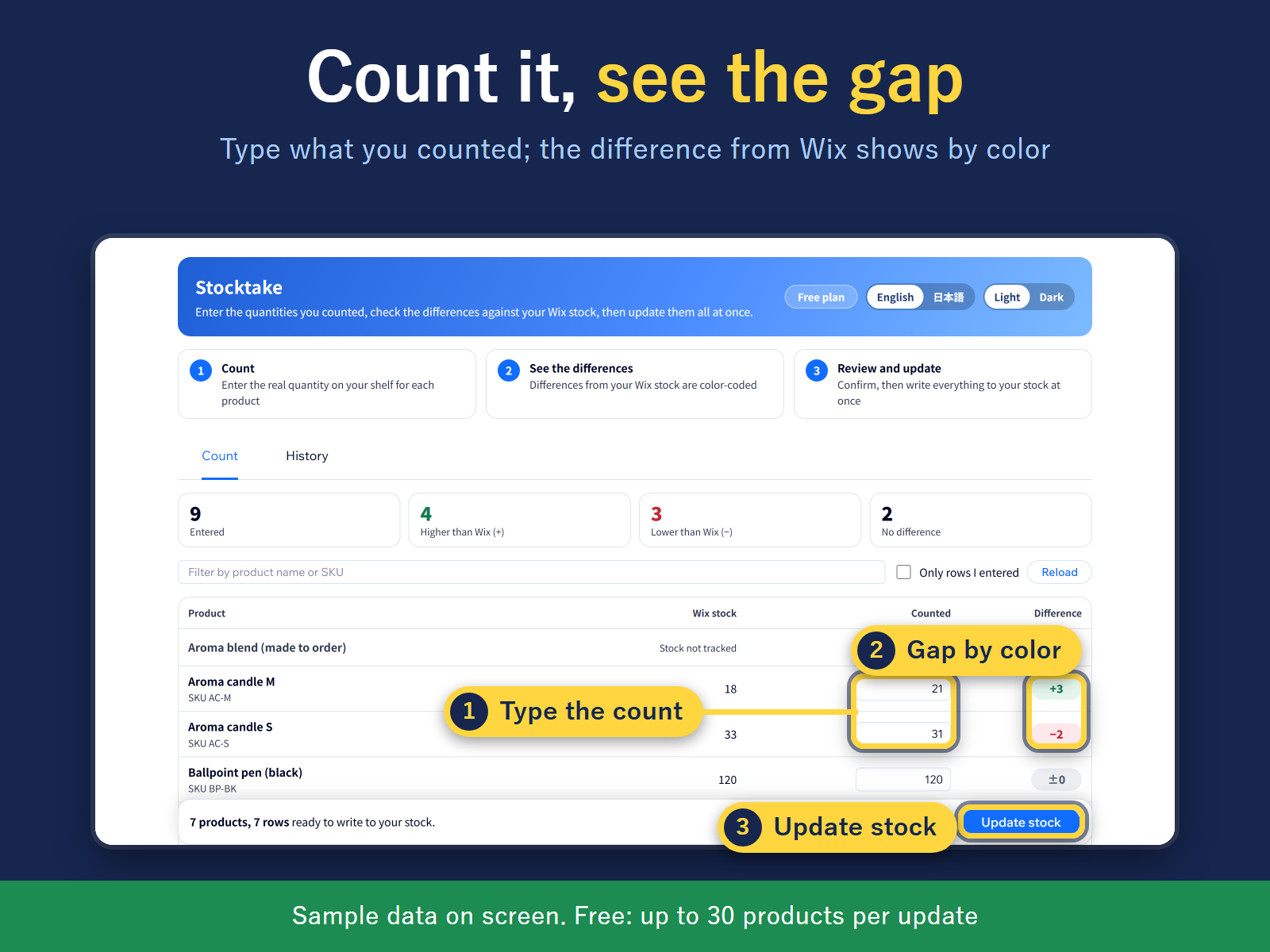
Type counts and see the gap with your stock by color
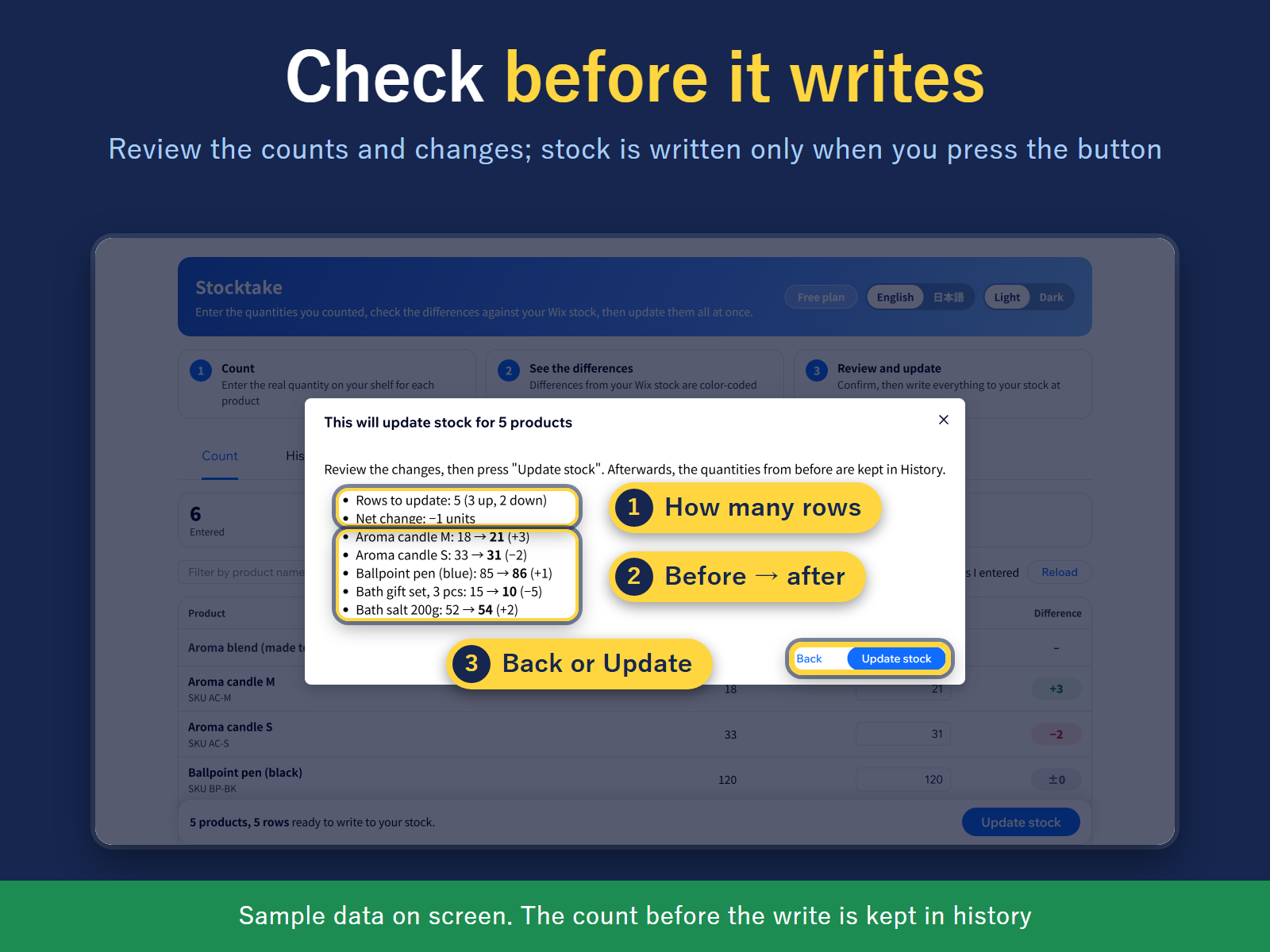
Review every change first; stock is written on confirm
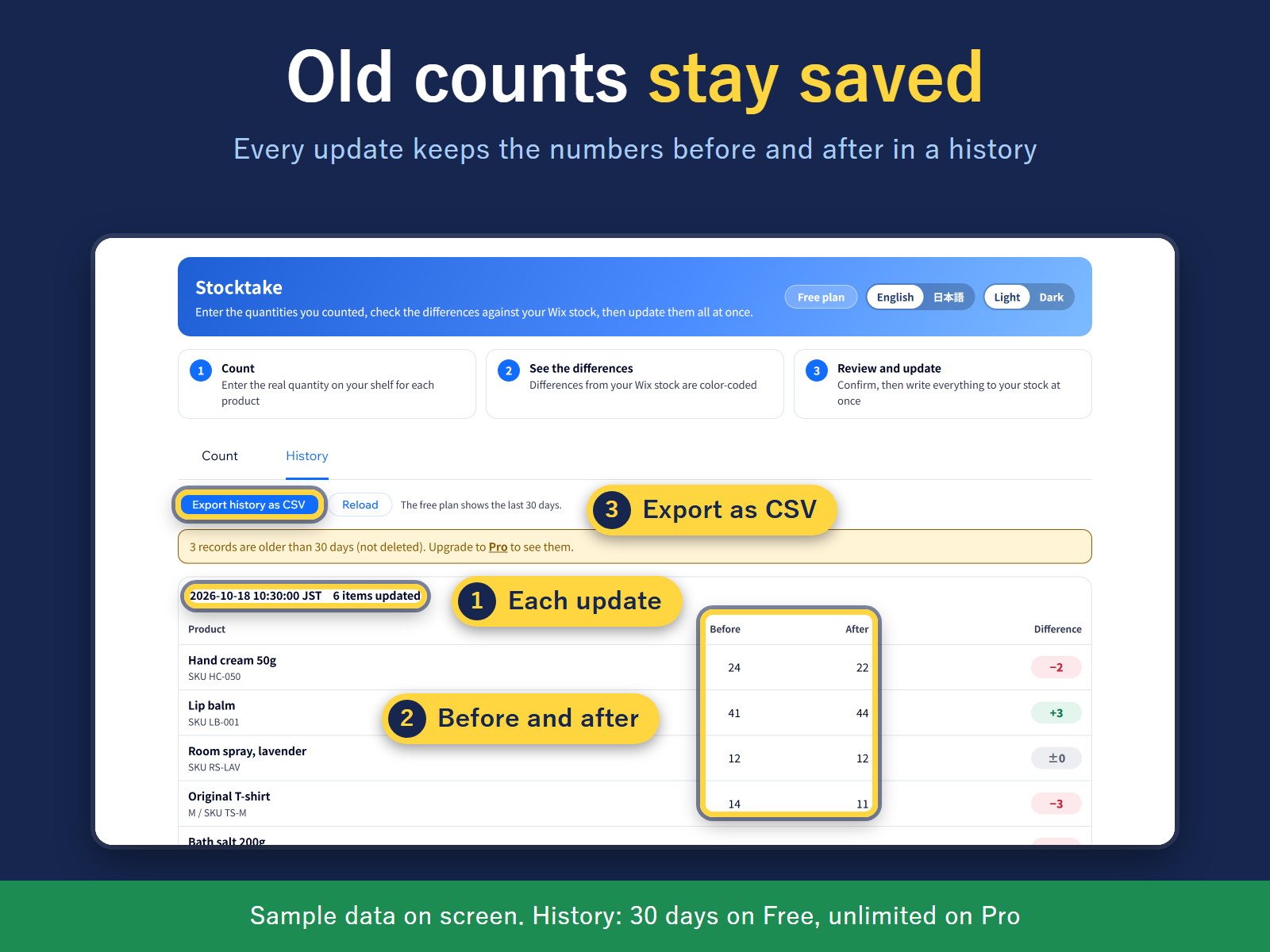
Before/after history of every update, export as CSV
After counting your shelves, do you open each product one by one to fix its stock? In Stocktake, one table lists every product and variant. No scanner needed: type the numbers you counted on paper or a sheet, and the difference from your stock shows at once, up in green, down in red, no change in gray. Filter by product name or SKU.
Nothing changes until you say so. "Update stock" opens a review screen with the rows that change, the total change, and the first 5 items with "before → counted" (then "N more"). Stock is written only when you press "Update stock" again in that screen. If an order moved a product's stock while you were counting, that row shows the stock when you counted and the stock now, so you can fix the difference or recount.
Every update is saved in a history with the before and after numbers, exportable as CSV. Close the page mid-count and the numbers you typed stay saved in this browser.
The screen, history and CSV come in English or Japanese, switched with one button. Built for both the new and old store catalog.
Free: up to 30 products per update and 30 days of history. Pro: no product limit and unlimited history.