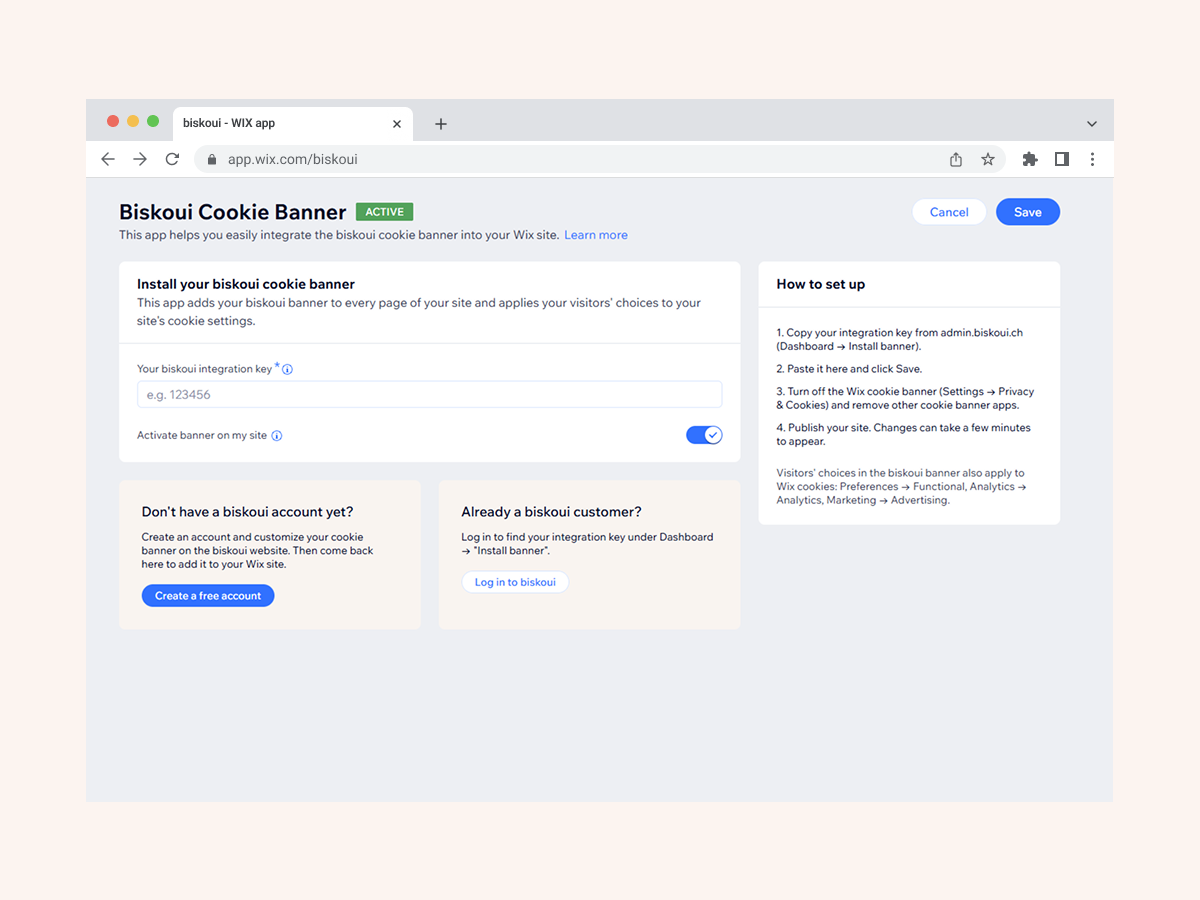
Add your Biskoui consent banner to your site by entering your integration key, without editing your site's code
Visitor choices in the banner are applied to your site's matching cookie categorie
Service-by-service consent for tools such as Google Analytics, Google Ads and Meta Pixel
Supports Google Consent Mode v2 in basic and advanced mode
Biskoui Cookie Banner connects your site to Biskoui, a consent management platform that lets visitors choose, service by service, which tools they allow, such as Google Analytics, Google Ads or Meta Pixel.
Setting up the app is simple. You enter the integration key from your Biskoui account in the app's settings and activate the banner. The Biskoui banner is then added to the pages of your published site, without editing your site's code.
The app is also designed to work with your site's built-in cookie consent settings. Before a visitor makes a choice, non-essential cookie categories wait for consent. When the visitor decides in the Biskoui banner, the choice is passed on to the matching categories of your site: Preferences to Functional, Analytics to Analytics, and Marketing to Advertising, including data sharing with third parties. This helps built-in site tools and installed apps follow the same preferences as the services you manage in Biskoui.
To use the app, you need a Biskoui account, and a free plan is available at biskoui.ch. For consistent results, we recommend using Biskoui as the only consent solution on your site.