繁體中文
登入
繁體中文
登入
Trending Topics
網路商店
預訂
活動
快顯
應用市集首頁
應用程式大特賣
類別
行銷
廣告
行動裝置
分析
社交
SEO
互動
發佈網站
電子郵件
轉換率
線上銷售
商店應用程式
出貨與送貨
付款按鈕
網路課程
按需列印
會計
優惠券與酬賓計劃
倉儲解決方案
廠商直送
定價與訂閱
群眾募資
食品及飲料
服務與活動
旅館
活動
餐廳
房地產
預訂
媒體與內容
圖庫
音樂
Podcast
相片
影片
PDF
檔案分享
新聞
內容服務
文字效果
設計元件
地圖與導航
隱私與安全性
時鐘
網頁範本
圖片效果
按鈕與選單
橫幅與徽章
計算機
搜尋
天氣
圖表與表格
通訊
表單
部落格
投票
聊天
留言
電話
社群
評價與推薦
CRM
Supported in Aria
精選應用程式
團隊精選
最新應用程式
本月熱門
Wix 商務解決方案
編輯器附加元件
吸引潛在顧客
分析流量
與訪客互動
Remover: 隱藏內建內容
製作者:
Certified Code
免費
Remover: 隱藏內建內容
製作者:
Certified Code
精準隱藏應用程式內建元素
尚無評論
免費
0
1
2
Remover: 隱藏內建內容 概覽
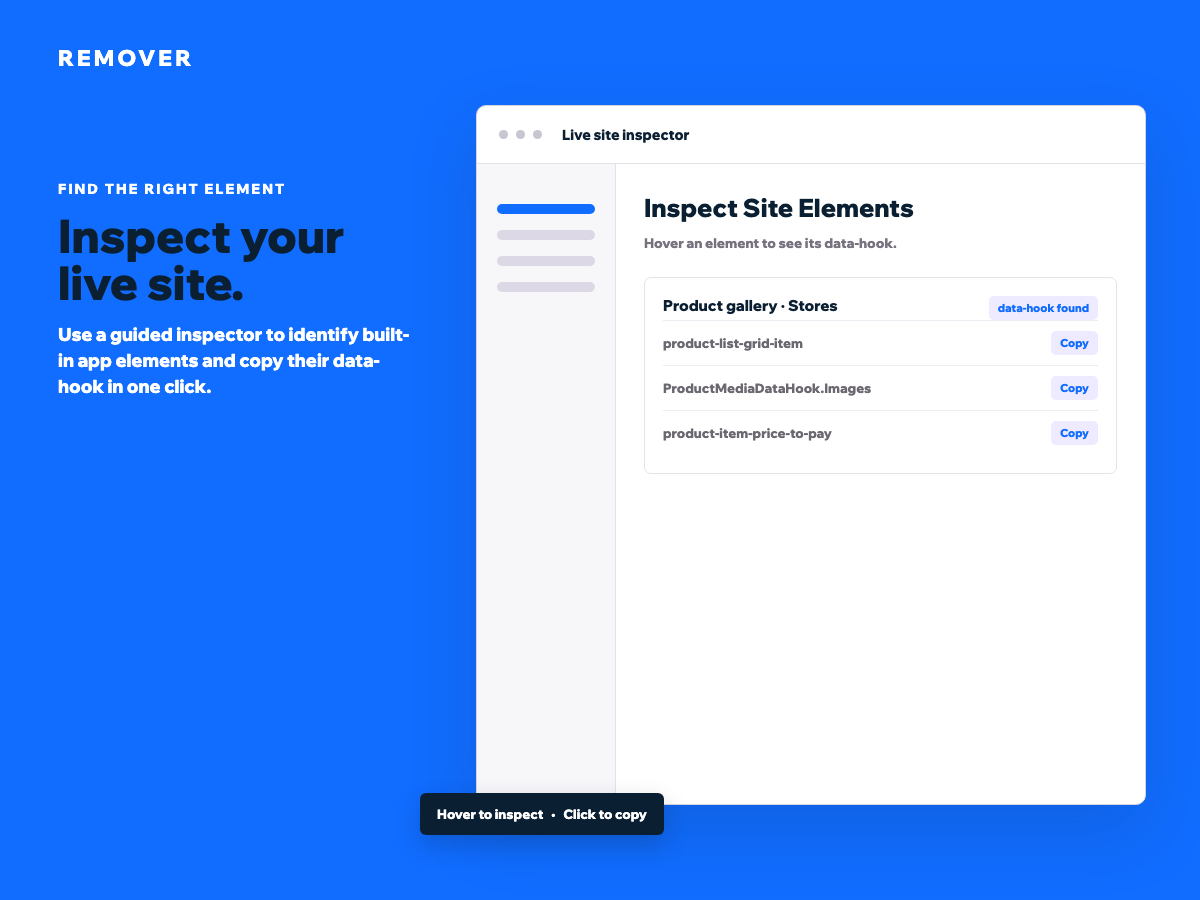
檢查您的即時網站並複製任何支援的 data-hook
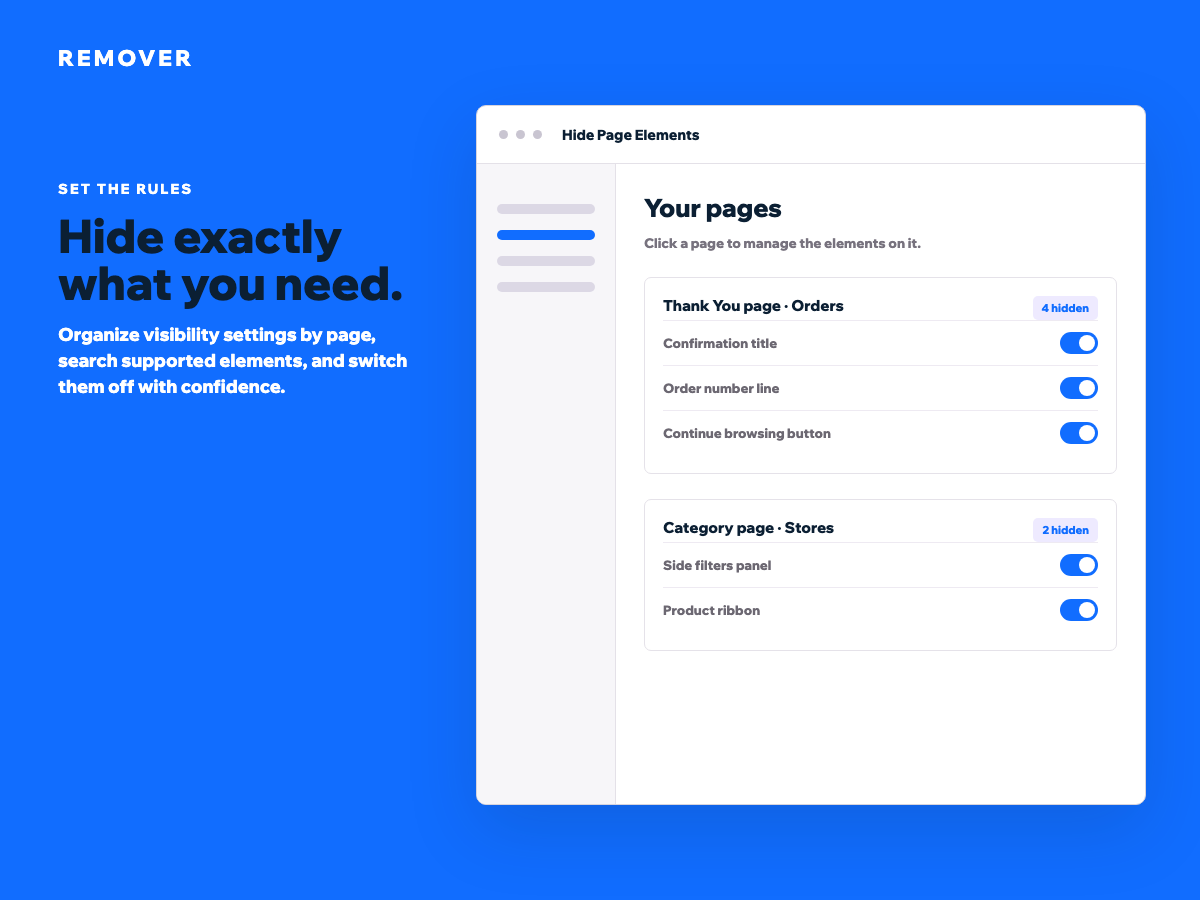
隱藏商店、結帳和感謝頁上不需要的元素
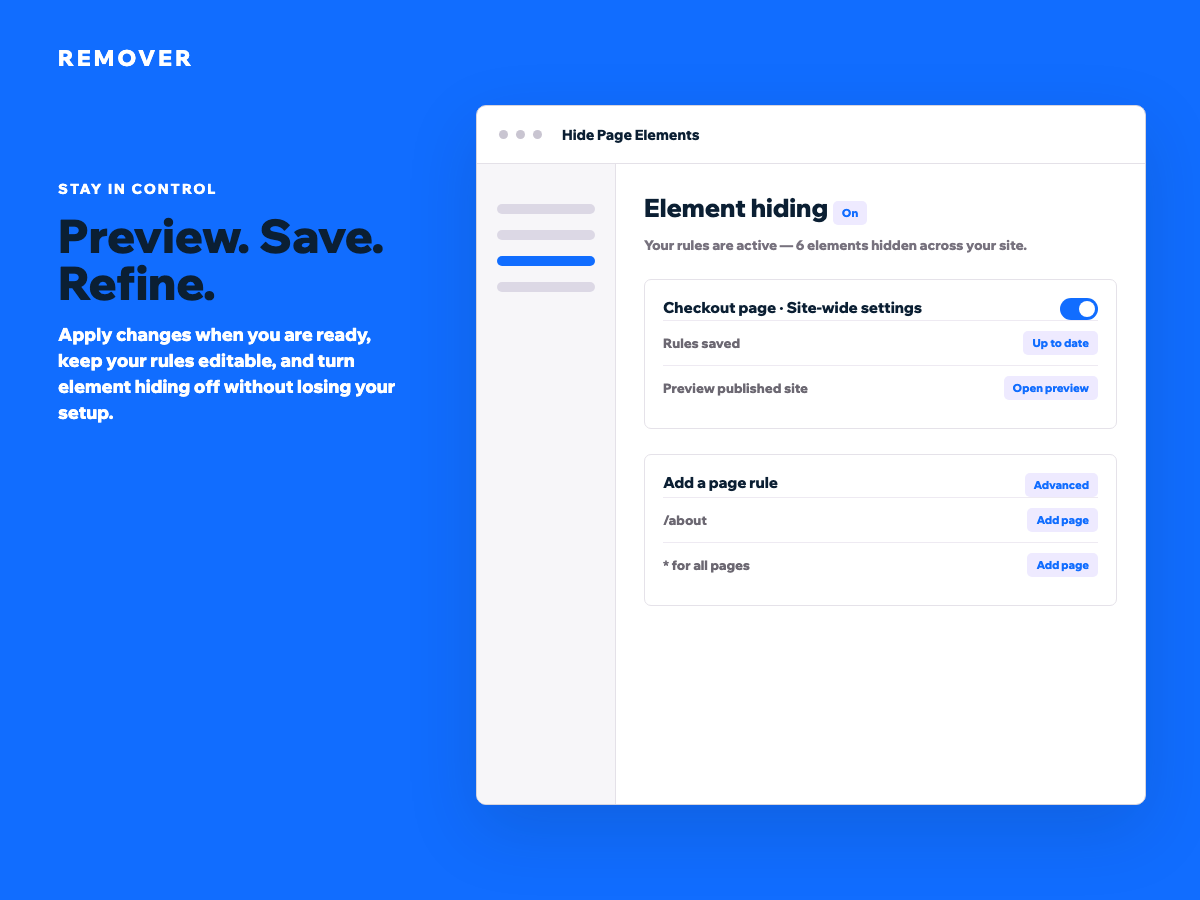
為個別頁面或整個網站設定可見性規則
隨時搜尋、批次編輯並安全地還原隱藏的元素
Remover 讓您掌控標準編輯器中無法使用的內建應用程式元素。無需自訂程式碼,即可從商店、結帳、感謝頁、類別頁及其他系統產生的體驗中移除不需要的區段。 從即時檢測器開始。將滑鼠移至已發佈的網站上以識別元素、查看其 data-hook 並一鍵複製值。將其新增至頁面規則、關閉並儲存。更改會套用至訪客,同時您的原始設定仍可在儀表板中編輯。 使用友善的標籤和搜尋來找到您需要的元素。逐一隱藏項目,或對整個頁面套用批次操作。為 URL 路徑建立規則、為進階佈局新增自訂 data-hook,或使用星號隱藏整個網站上的同一個元素。暫時關閉隱藏以檢視原始體驗,然後無需重新建立即可還原您的規則。 當您需要專注的產品流程、更清晰的確認頁面、更簡單的類別版面,或更精細地控制原本難以管理的系統內容時,Remover 非常實用。預覽您的更改、準備好後再儲存,並將每個可見性決策保存在同一個清楚的位置。
類別
線上銷售
商店應用程式
適用地區:
此應用程式全球適用。
應用程式語言:
英語
CC
應用程式開發人員:
Certified Code
造訪我們的網站
連絡我們,取得支援
隱私權政策
評分與評論
此應用程式尚無評論,請來成為第一個評價的人。
構置並推出應用程式,連繫超過 2.3 億位 Wix 使用者
立即開始