

網路商店
預訂
活動
快顯

Checkout Rules
製作者:
Set minimum and maximum quantities, order limits and checkout blocks.
尚無評論
提供免費方案

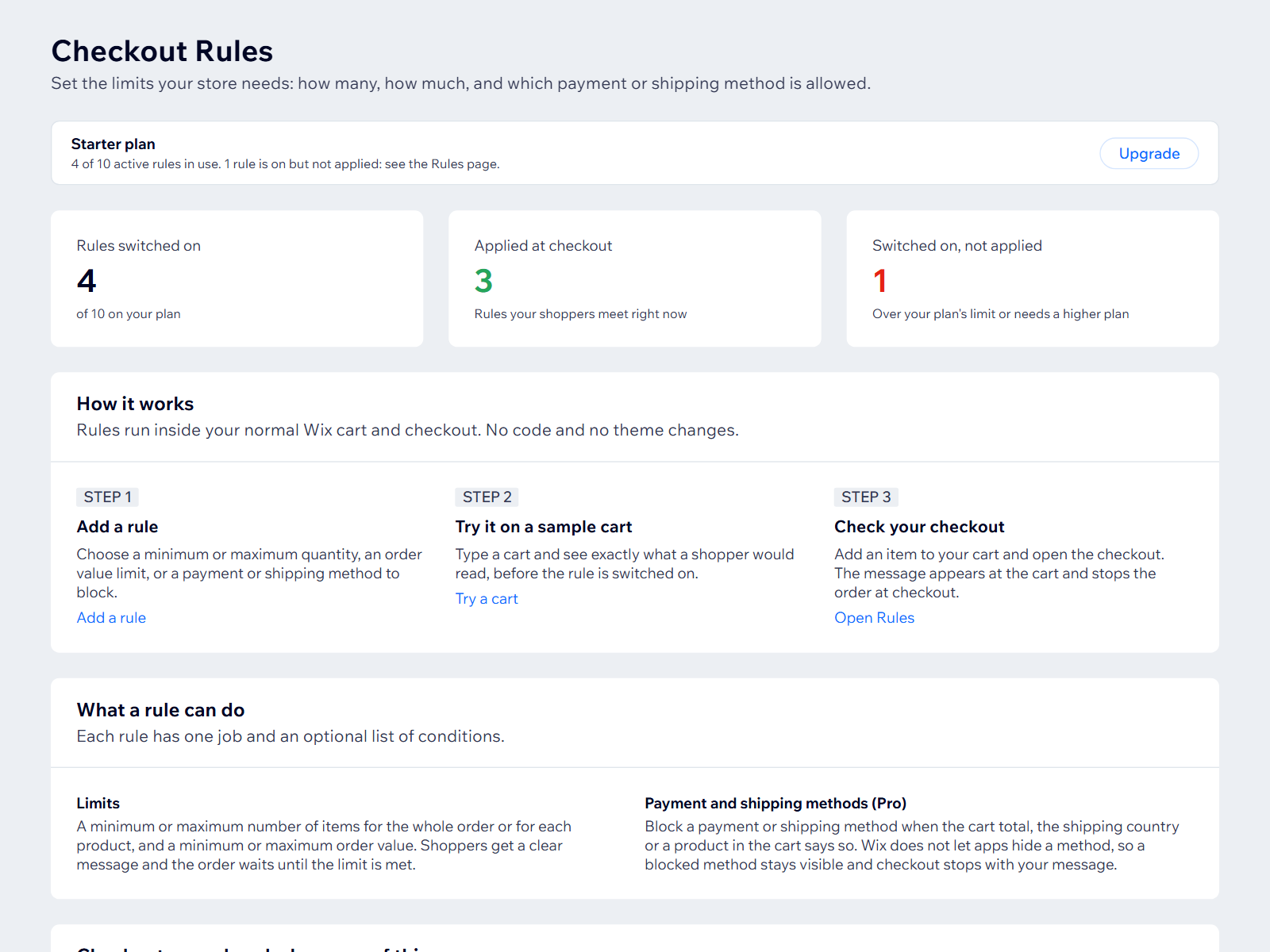
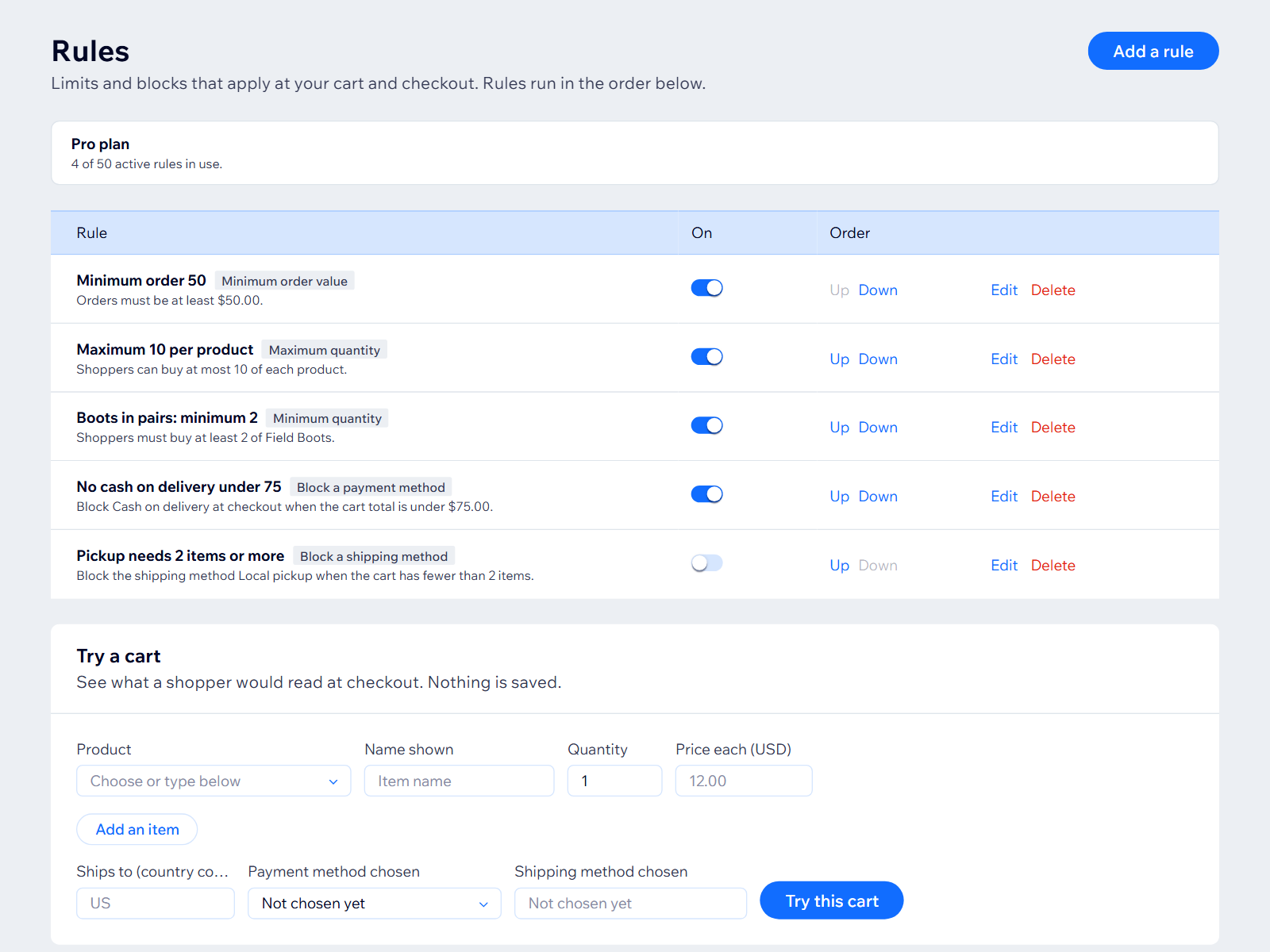
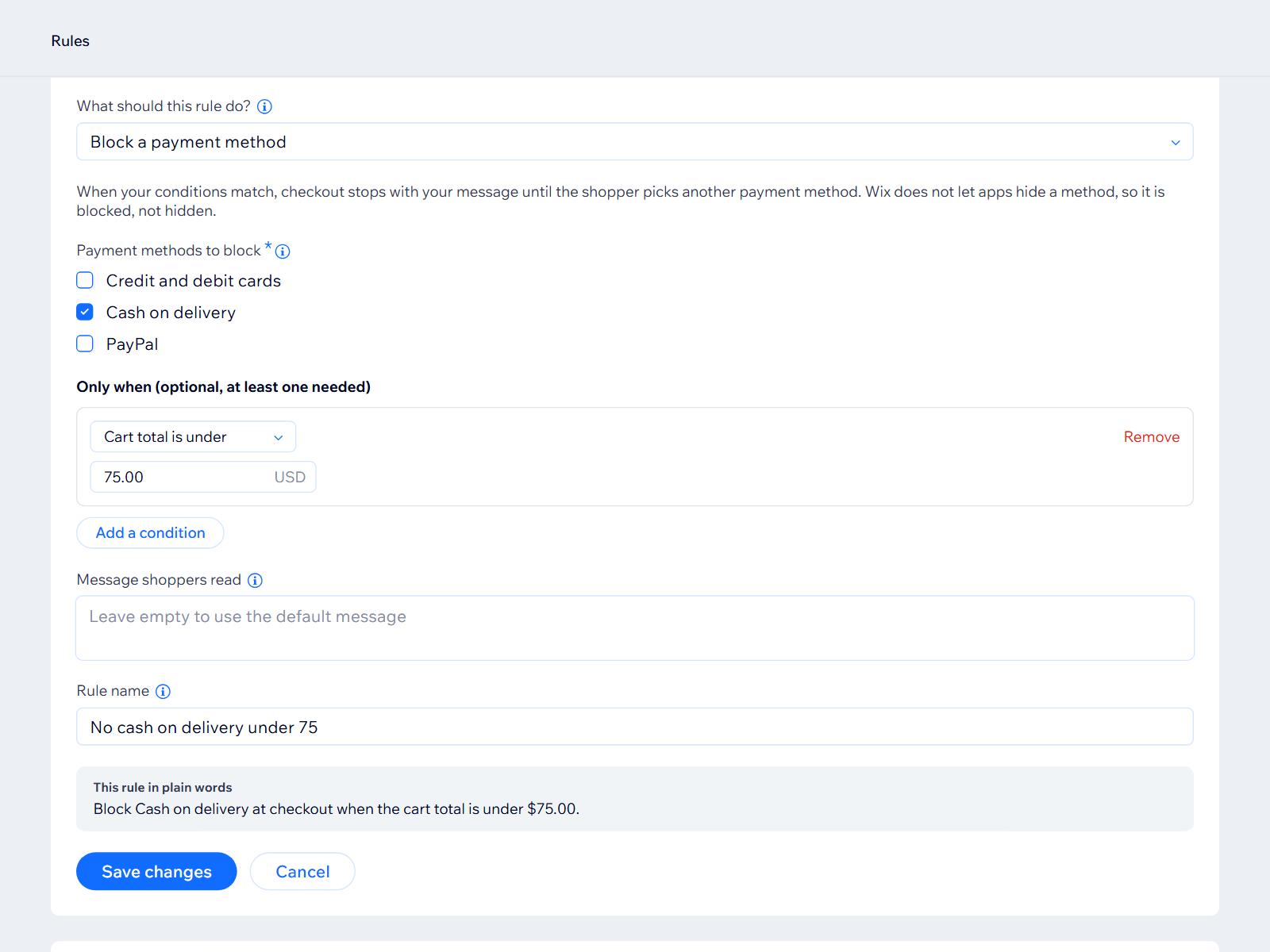
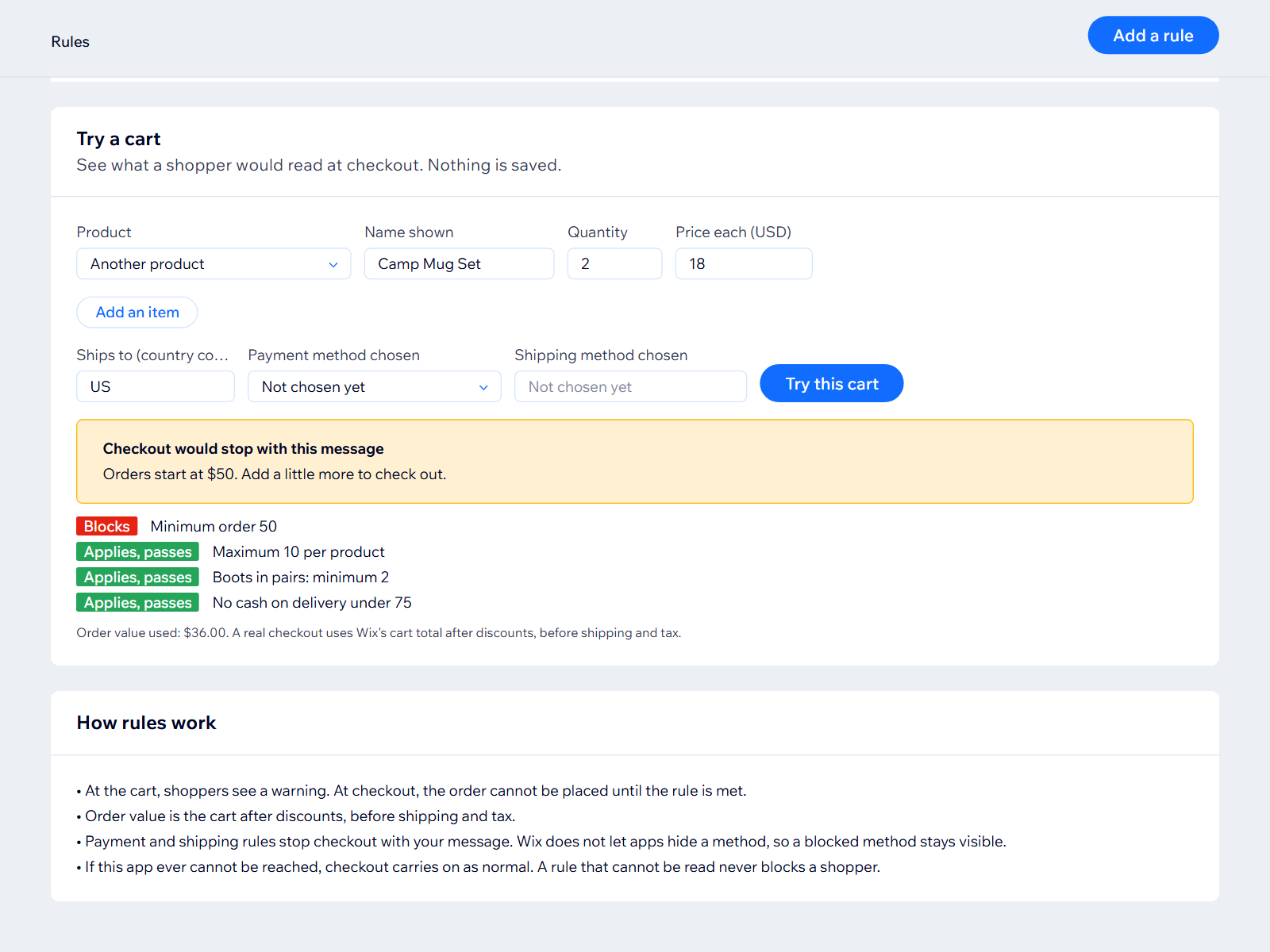
Checkout Rules 概覽
- Minimum and maximum items per order or product
- Minimum and maximum order value
- Block a payment or shipping method by cart, country or product
- Your own message, with a test cart before going live
評分與評論
此應用程式尚無評論,請來成為第一個評價的人。定價與方案
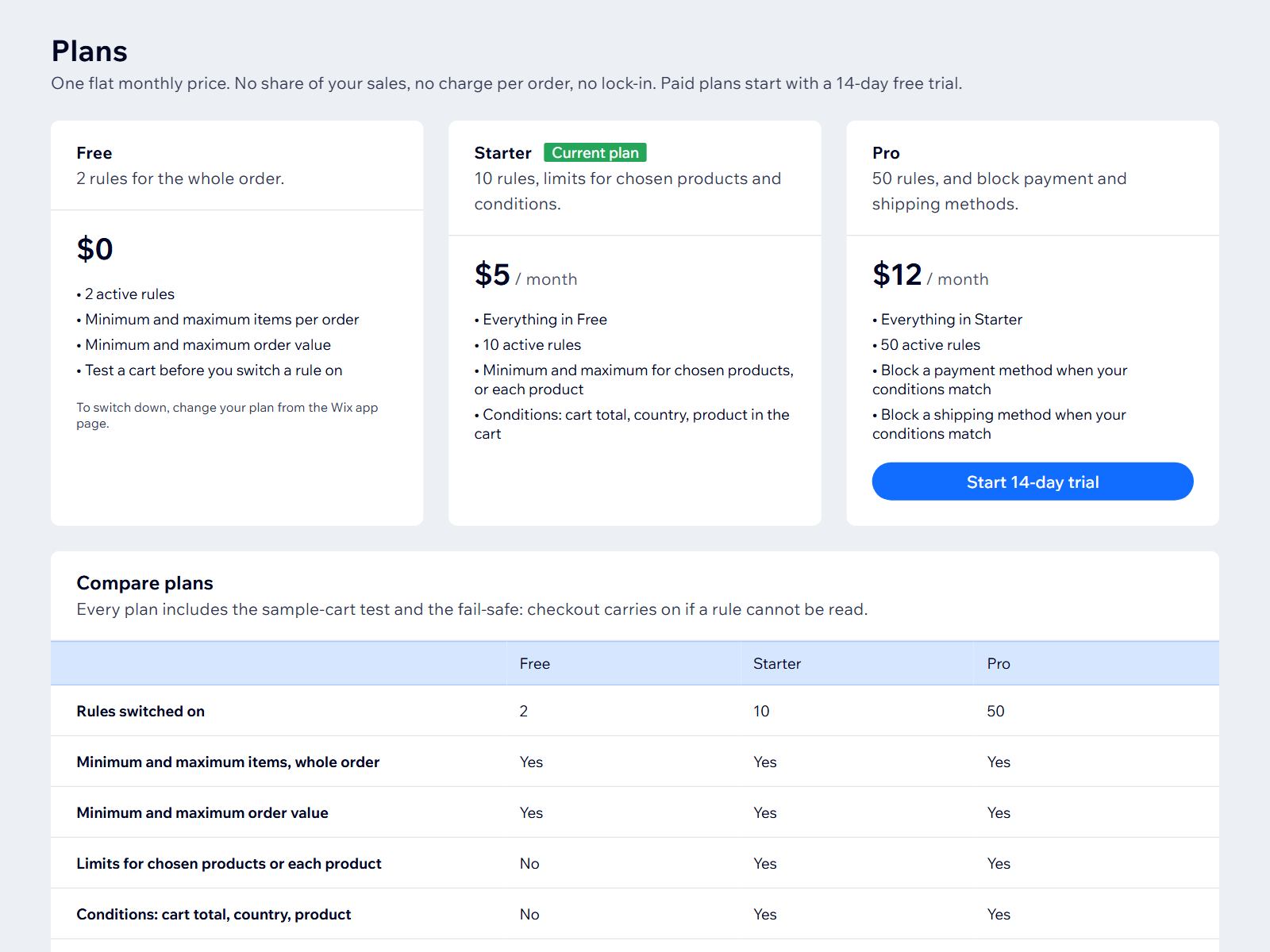
Basic 方案
免費
2 active rules
Whole-order quantity limits
Order value limits
Starter 方案
$
5
00
/月
Up to 10 active rules
Limits for chosen products or each product
Conditions: cart total, country, product in cart
Everything in Free
Pro 方案
$
12
00
/月
Up to 50 active rules
Block payment methods
Block shipping methods
Everything in Starter
* 價格以 USD 為單位。